YourHires
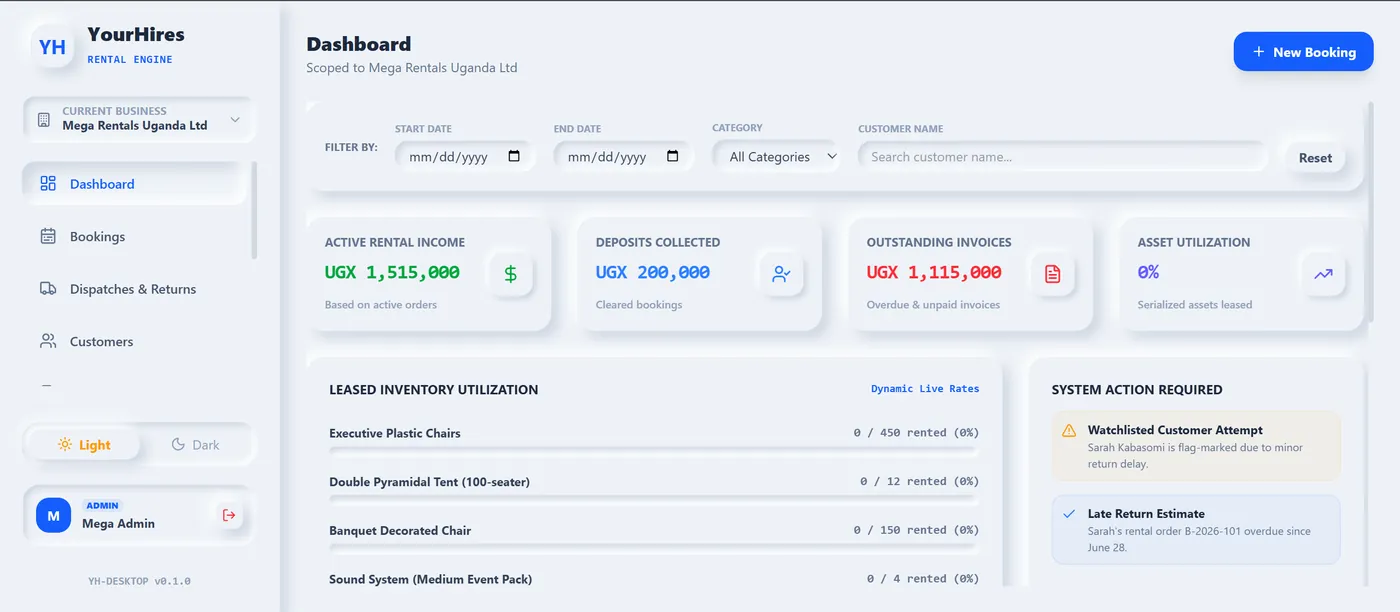
YourHires is Midway’s ledger-accurate rental & asset management system for hire businesses. Take bookings and deposits, dispatch and return serialized assets, audit late returns automatically, and keep customer account ledgers and AR aging spotless — on the web and as a lightweight desktop app.
Everything a Hire Business Needs
Bookings & Deposits
Take customer and function bookings, hold refundable deposits, and confirm reservations against real availability. Every booking is scoped per business so multi-branch operators stay organised.
Dispatch & Returns
Log every dispatch and return against a rental order. Track what left the store, what came back, and what’s still out — with a clear audit trail for each transaction.
Serialized Asset Tracking
Track individual serialized assets through their whole lifecycle — available, reserved, dispatched, returned, or in maintenance — with a live catalog and status board.
Late-Return Penalties
Automatic late-return fee audits calculate penalties the moment assets run past their due date, so nothing slips and every extra day is billed accurately.
Invoicing & Credit Notes
Raise rental invoices and credit notes directly from bookings and returns. Post to customer account ledgers so balances always reflect the latest activity.
AR Aging Ledger
Enterprise accounts-receivable aging breaks overdue balances into Net 30, 31–60, 61–90, and 90+ day buckets — calculated on the backend and rendered on the dashboard.
The Rental Life Cycle
Book & Deposit
A customer reserves assets for a date range. YourHires captures the booking, holds the deposit, and blocks the assets from double-booking.
Dispatch
On collection day, staff dispatch the serialized assets against the rental order — statuses flip to ‘out’ and the clock starts.
Return & Audit
When assets come back, returns are logged. Any overdue items trigger automatic late-return penalty audits.
Invoice & Age
Rental charges, penalties, and deposits net out into an invoice, and open balances roll into the AR aging ledger.
Running the event, not just renting the kit
Most hire businesses do not simply hand over equipment — they staff and run the function. YourHires treats an event as a first-class object rather than a note attached to an invoice.
- Function templates — build a reusable pack for a wedding, conference or launch: the items it needs, the crew roles it needs, and the checklist that has to be completed. Apply it to a new booking instead of rebuilding the list from memory each time.
- Crew roles & assignments — assign staff to functions by role, and assign specific serialised items to a specific function, so two events cannot claim the same generator.
- Checklists & sign-off — work through the setup checklist on site and capture a signature on completion. When a client later disputes what was delivered, there is a record.
- Issues & event costs — log damage or problems against the function while it is happening, and record the expenses it incurred, so you can see which events actually made money.
The parts of a hire business nobody writes software for
The rental ledger is the visible half. These are the parts that quietly cost money when they live in a notebook.
- Consumables, separately — chair covers, fuel, disposables and decor are consumed, not returned. They are tracked and logged apart from serialised assets, so your return audit is not permanently chasing items that were never coming back.
- Maintenance — take an asset out of service and it stops appearing as available. Maintenance events stay on the asset’s history, so you can see which equipment costs you most.
- Sites and multi-branch — stock, staff and bookings are scoped per company and per site, so a second store or yard does not mean a second system.
- Suppliers & purchase orders — raise orders against suppliers when you sub-hire or restock, and keep the cost attached to the job it was bought for.
- Employees & payroll periods — staff records, site assignments and payroll runs, for businesses whose crew size changes with the season.
- Customer account ledgers — every invoice, credit note, deposit and payment posts to the customer’s account, so a balance is a fact rather than an estimate. An audit log records who changed what.
A public catalogue your customers can book from
Each business on YourHires can publish its own catalogue at a public web address. Customers browse what is available and submit a reservation without phoning, and the request lands in the same booking queue your staff already work from — no re-typing, no separate inbox.
Each catalogue is search-engine visible on its own, with its own sitemap, so the equipment you hire out can be found by people searching for it. The rest of the system — the dashboard, the ledgers, the staff records — stays private.
Losing track of what’s out and what’s overdue?
Spreadsheets can’t tell you which serialized asset is late, whose deposit is still held, or how much is 90+ days overdue. YourHires can. It keeps bookings, dispatch, returns, penalties, and receivables ledger-accurate in one place.